
SCANNING SCREEN…
It sees.
♥98K💬2.1K↗Share
izuki
“What's this error?” It reads your screen — even the hidden buttons — and tells you.
♪ original sound — NovaSay “Hey Nova” and just talk. Izuki sees your screen, answers you out loud, and uses your mouse and keyboard to get things done — it can even grab a pen and draw on your screen to teach you. Like a friend who's brilliant with computers, living right inside your PC.
Free forever · Your own free AI key · Try it right here ↓
It hears you, sees your screen and does the work — then teaches, reminds, and answers your phone. In 30+ voices.
One sentence. It sees, thinks, and does it.
A little taste of talking to Izuki. Tap an idea or type anything — on your PC, it actually goes and does it.
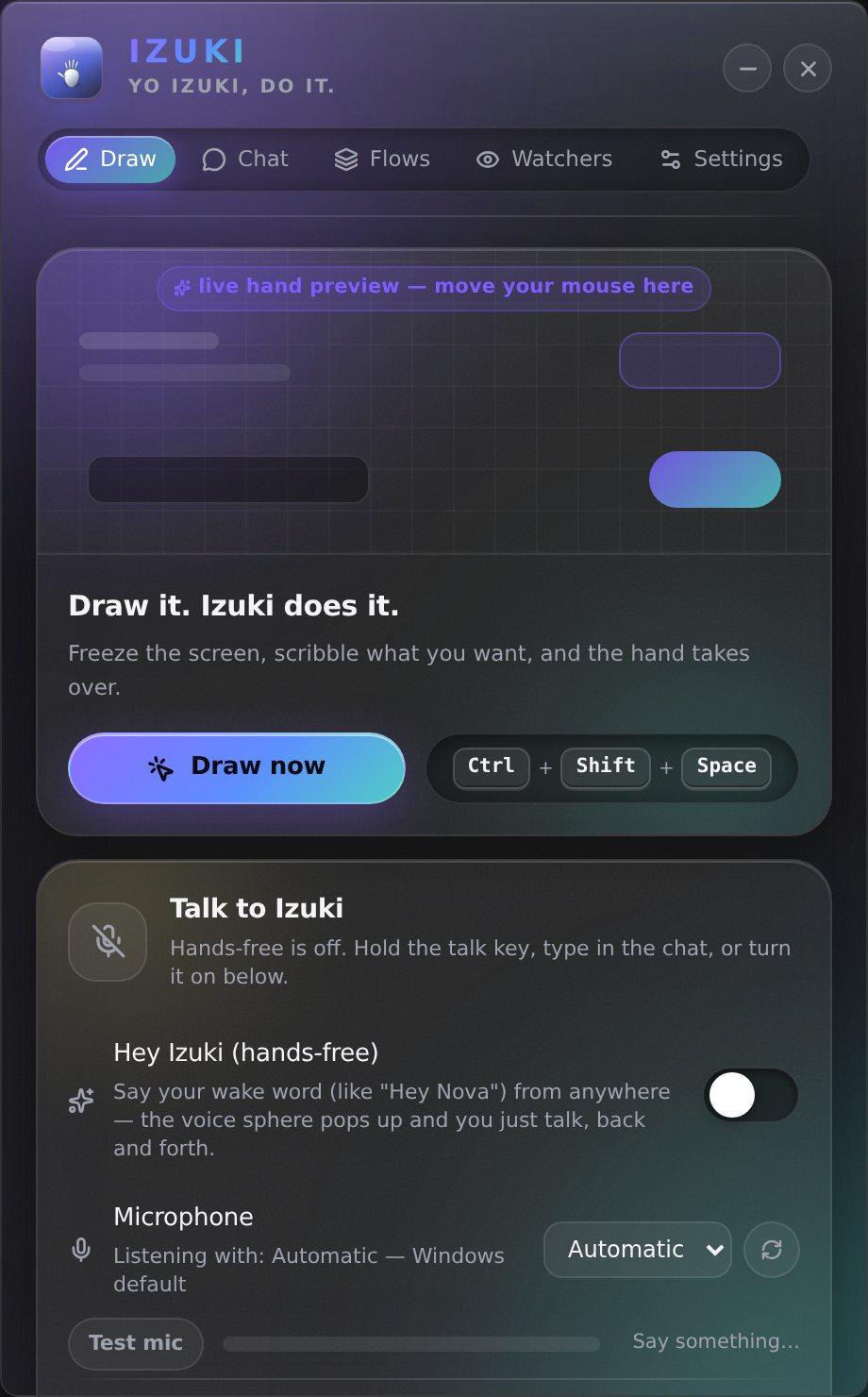
Hold Ctrl+Shift+Space, scribble on anything, and the little hand takes over.
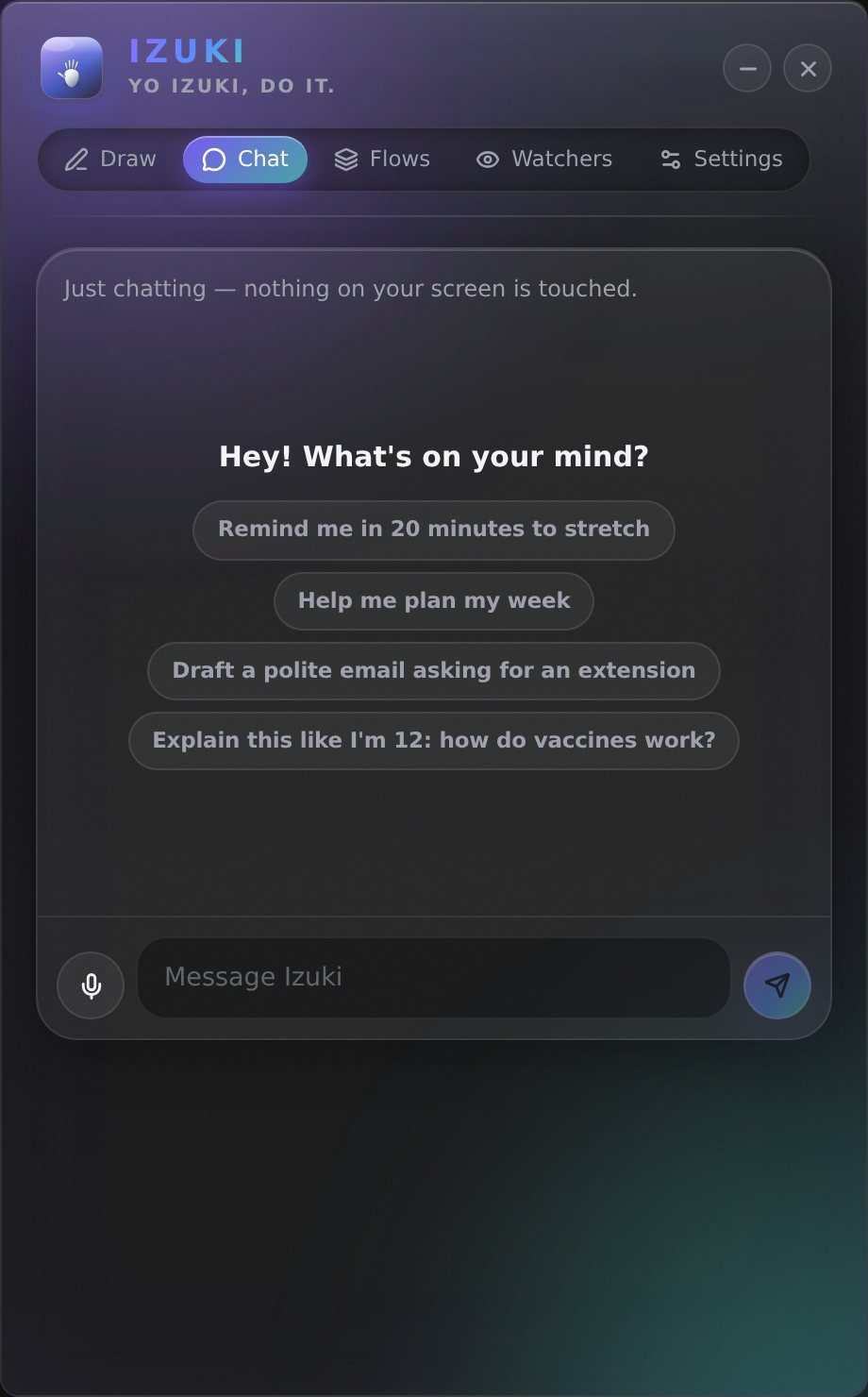
Plan your week, draft an email, check the weather, search the web, find your files — without touching your screen.
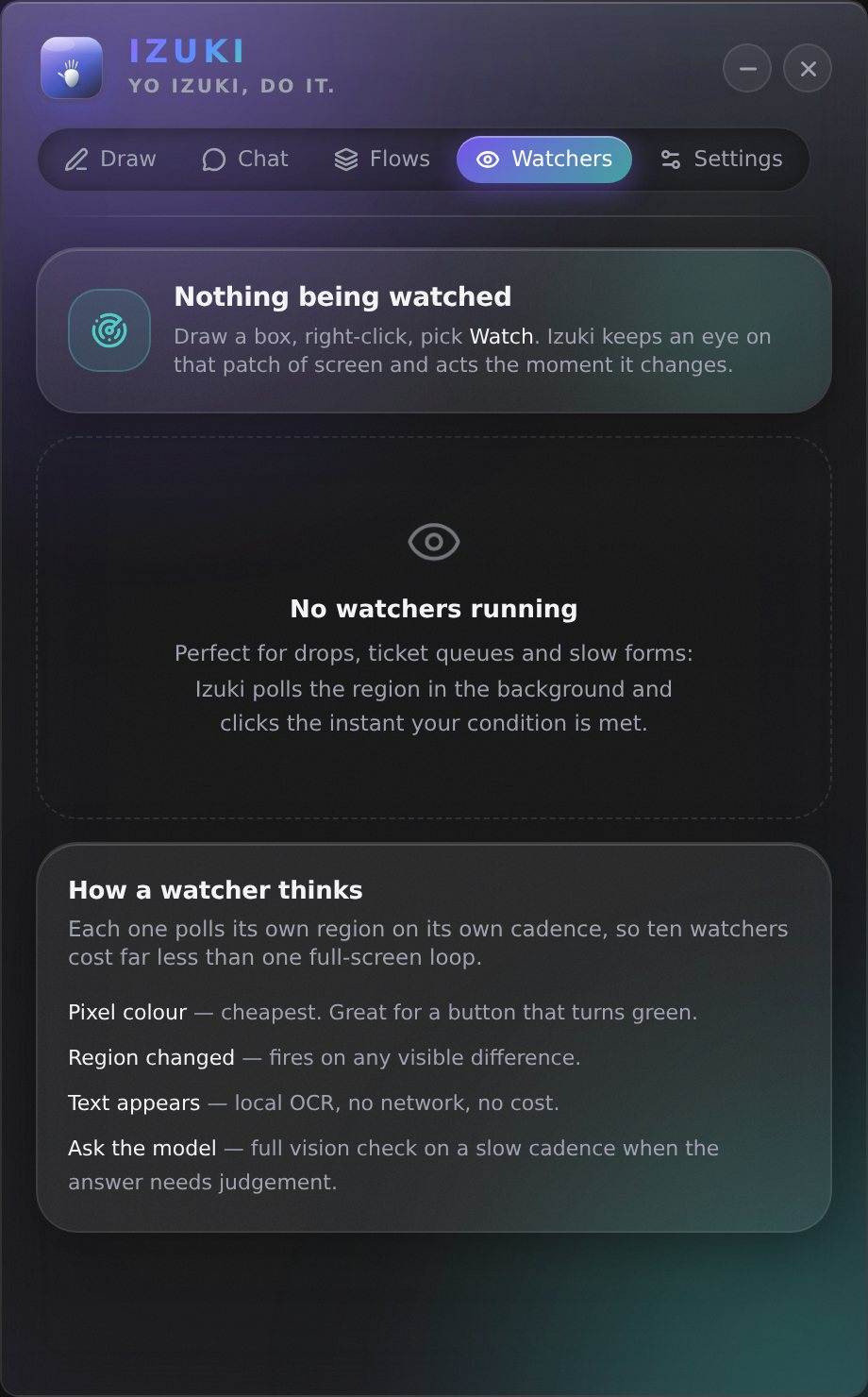
Box a patch of screen — ticket queues, drops, slow forms — and it clicks the instant it changes.
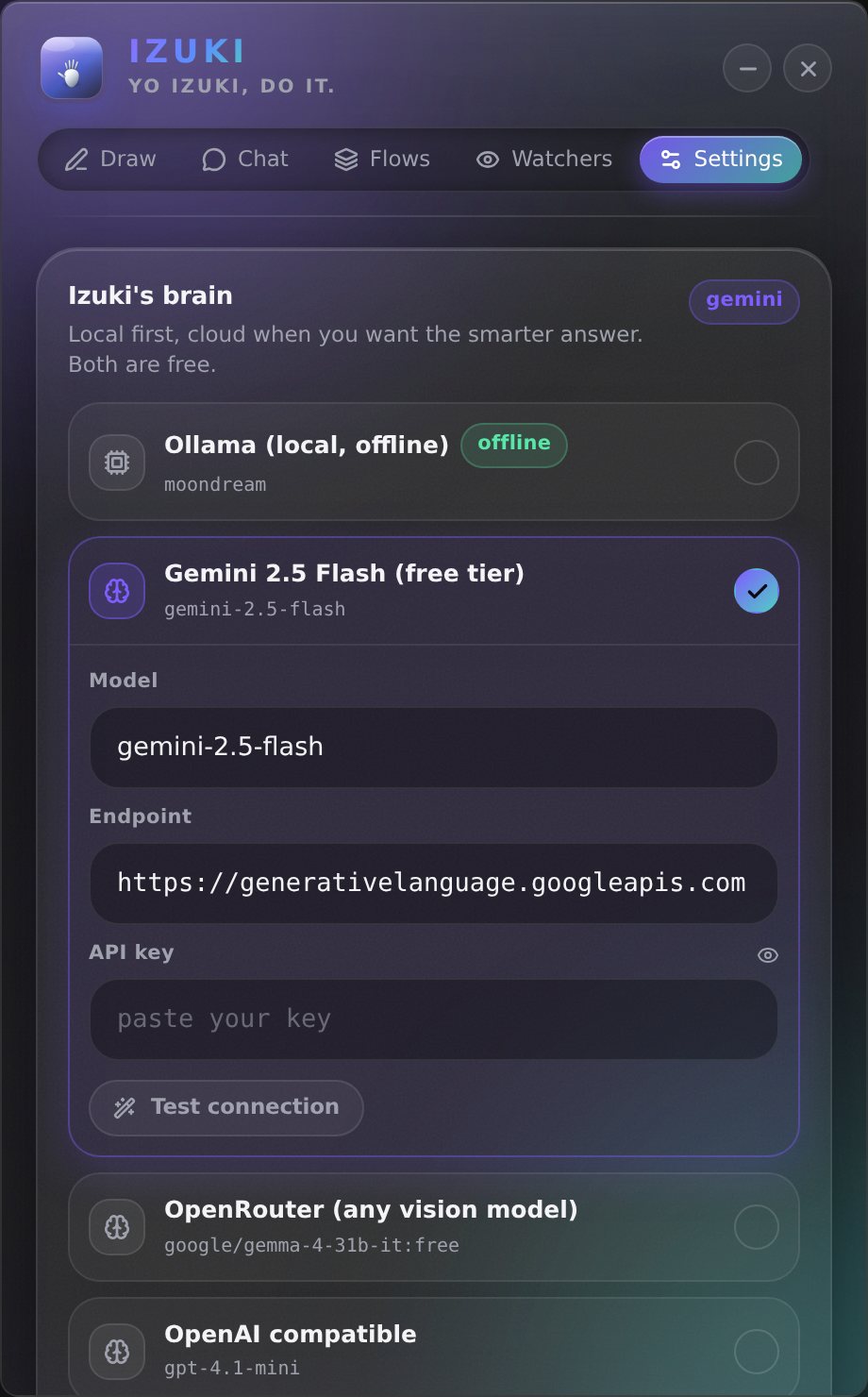
Free Gemini, Groq, OpenRouter, Mistral or a model on your own PC — and 30+ voices and characters. Your keys never leave it.
Scan a QR code and talk to Izuki from your phone — it answers out loud and works your PC.
Not a chatbot in a box. Scroll, and watch Izuki take one request from “play it” to playing — it even skips the ad.
“What's this error?” It reads your screen — even the hidden buttons — and tells you.
♪ original sound — NovaSay “Hey Nova” and just talk. Cut in any time — it listens like a person.
♪ Hey Nova — IzukiOpens apps, types, scrolls to the right link, skips the ad. You just ask.
♪ click click done — Izuki“Explain this.” It grabs a pen and draws on your screen, step by step.
♪ maths just clicked — IzukiNo subscription. No catch. Your own free AI key, on your own PC.
♪ free forever — IzukiEverything a smart friend at your shoulder would do — for free, on your own PC.
Say your wake word and talk like you would to a person. Cut in any time. It turns your music down while you talk, hears names right, and keeps listening for what's next.
Opens apps, searches, clicks, types, scrolls straight to the right link, skips ads — looking again until it's really done.
“Explain this maths problem.” It pauses the video, then circles, underlines and writes notes on your screen as it explains.
“What does this error mean?” It reads your screen — and the app's hidden buttons — to answer precisely.
Hold Ctrl+D, circle anything, and ask. One tap to click, copy or explain it.
A chat that never touches your screen, reminders that ring on your PC and phone, and a memory of you that you can see and wipe any time.
Connect Gmail, Calendar, Drive, Slack, Notion and hundreds more in one tap from the Apps tab. It always shows the draft and asks before sending.
A new important email, a meeting in 15 minutes, homework due tomorrow — it taps you on the shoulder, on your PC and your phone. Plus a morning brief.
“What's the latest on…?” It searches and reads the pages itself, quietly — even school sites you're signed in to, in its own little browser.
In the chat it finds and reads your files (Word, PDF, PowerPoint too), writes files, and runs real commands — zip, install, run a script, even Python — like a coding assistant. A Ask first or Auto‑run switch, like Claude Code, and it always shows you the exact command. Your keys stay off‑limits.
Turn on Control my Android, pair once over Wi‑Fi (nothing to install on the phone), then say “open YouTube and play lofi on my phone.” It taps, types and swipes on your phone the way it does on your PC. Free.
Warm Nova, deep calm Leo, British Sophie, Nigerian Ezinne, Naija Pidgin Chidi, Spanish Lucía, a hype coach, a butler, a pirate — or Rex, unfiltered and savage, if you dare. Rename it, change the voice, speed and pitch, and give it your own personality.
Natural voices that breathe at commas and pause at full stops — free, no key. Or Google's Gemini voice (your Gemini key), Groq, Azure and ElevenLabs for the most human sound. Offline voice on your PC too, in English, Spanish, French, Swahili, Hindi and more.
Izuki reads the real buttons, links and answers behind your screen — not just the picture — so it clicks exactly what you meant. It waits for slow pages and tries another way when something doesn't respond.
Copy a free key on the website that opens, come back — Izuki fills it in by itself. Tap Gmail and it walks you through the rest. No settings to hunt for.
Press Esc and Izuki lets go instantly — the task, the voice, the lot. Ctrl+Shift+Q works any time. Go on, try it on this page.
Tap one to hear it. Each has its own voice and its own way of talking — and you can rename it, pick any voice, and give it your own personality.
No app store, no fees. Four free ways to reach Izuki from your phone:
No complicated setup. If you can install an app, you can use Izuki.
Grab the installer and run it. (Windows may say it's a new app — click More info → Run anyway.)
The welcome tour links you to a free Google Gemini key. Paste it in — that's the only setup.
Hold the talk hotkey and speak, or type. Add a free wake word like “Hey Nova” to go fully hands-free.
Izuki runs on your own PC with your own free AI key, so there's nothing to charge you for. Your screen and voice go only to the AI you choose — nowhere else.
Izuki is free, and it's going to stay free. It's built by one person, late at night, on a lot of coffee and a big dream. If Izuki saved you time or made you smile, a small tip keeps the next feature coming. Every dollar counts — and a ⭐ on GitHub means just as much.
I'm an IT and cybersecurity student, and Izuki is step one of something bigger: real robot companions (that's Nova Izuki), an Afro-tech community where more of us get to build the future instead of just using it, and one day a company that creates real opportunities for a lot of people. Step by step.
Questions, ideas or collaborations: izuki.hq@gmail.com
Your computer's been waiting for someone to talk to.